Checking your traffic challan online has become much easier with the Government of India’s digital traffic services. If you have received a traffic challan for overspeeding, jumping a red light, driving without a helmet, or violating other traffic rules, you can check its status online without visiting a traffic police office.
The official eChallan portal allows vehicle owners and drivers to view pending traffic challans, check payment details, verify challan information, and pay applicable fines online. By using the eChallan Status facility, you can find out whether a challan is pending, paid, or under processing.
In this guide, we will explain how to check your challan online using a vehicle number, challan number, or driving licence number, along with the available payment options and other important details.
What Is eChallan Status?
eChallan Status is an online facility provided through the Ministry of Road Transport and Highways (MoRTH) to help citizens check the current status of their traffic challans. It is part of India’s electronic traffic enforcement system, which makes challan-related services more accessible and transparent.
When a traffic violation is detected by traffic police or an automated camera, an electronic challan may be generated against the vehicle or driving licence. The challan contains information such as the challan number, violation details, date, location, and applicable fine.
Using the official eChallan Status system, users can check whether any traffic challan is registered against their vehicle and whether the payment has been completed.
How to Check eChallan Status Online?
If you want to know whether your vehicle has any pending traffic fines, you can use the official Parivahan eChallan portal. The process is simple and can be completed using a mobile phone, laptop, or computer.
Follow these steps for an online challan check:
- Visit the official website at https://echallan.parivahan.gov.in/.
- Select the Check Challan Status option available on the homepage.
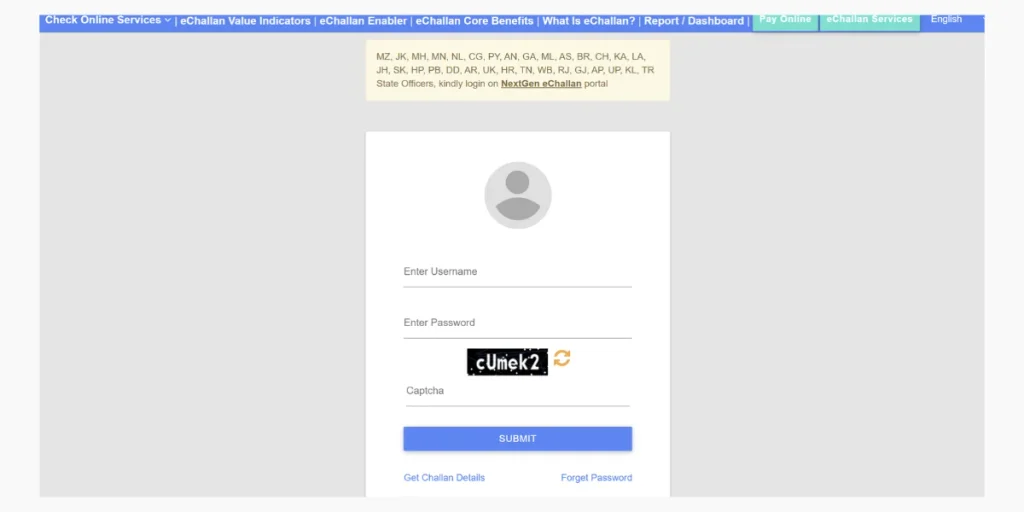
- Choose the required search method, such as Challan Number, Vehicle Number, or Driving Licence Number.
- Enter the required details in the given field.
- Complete the captcha or verification process, if displayed.
- Click on the Get Detail option.
- Your challan information will appear on the screen.
After submitting the details, carefully check the challan date, violation type, fine amount, and payment status. If a pending challan appears, you can proceed with the available payment facility.
e Challan Check by Vehicle Number
e challan check by vehicle number is one of the easiest ways to find traffic fines associated with your vehicle. You do not need to remember the challan reference number to use this method.
This facility is helpful for car owners, bike riders, and other vehicle owners who want to check whether a traffic violation has been recorded against their registration number.
To check a challan using your vehicle number:
- Open the official Parivahan eChallan website.
- Go to the Check Challan Status section.
- Select the Vehicle Number option.
- Enter your complete vehicle registration number.
- Fill in the required verification details.
- Click on Get Detail to view the available records.
If any challan is registered against the entered vehicle number, the portal will display the available information. You can then check its current status and payment details.
How to Check eChallan Status Using Challan Number or Driving Licence Number?
Apart from vehicle registration details, the government portal also provides options to search for traffic challans using a challan number or Driving Licence (DL) number.
Using Challan Number:
- Visit the official eChallan portal.
- Select the Challan Number search option.
- Enter your challan reference number.
- Complete the captcha verification.
- Click Get Detail to view the challan record.
Using Driving Licence Number:
- Open the Check Challan Status page.
- Select the DL Number option.
- Enter your driving licence number.
- Provide the date of birth if requested.
- Complete the verification and submit the details.
These options are useful when you do not have your vehicle registration number available or want to check a particular traffic violation.
How to Make eChallan Payment Online?
If your eChallan Status shows an unpaid or pending challan, you can use the online payment facility available on the official portal. This saves time and allows you to pay the applicable traffic fine without visiting a traffic police office.
Follow these steps to complete your echallan payment:
- Visit the official eChallan website.
- Select the Pay Challan or Check Challan Status option.
- Enter your vehicle number or challan number.
- Click Get Detail to view the pending challan.
- Check the violation details and payable amount.
- Select the available online payment option.
- Complete the payment using the payment methods displayed on the portal.
- Wait for the payment confirmation.
After successful payment, save or download the payment receipt for future reference. Payment status may take some time to update in the system.
Important: Always complete your payment through the official government portal or an authorised payment facility.
How to Download eChallan Payment Receipt?
Keeping a payment receipt is important because it serves as proof that you have paid your traffic fine. The official eChallan Status system provides facilities to download challan prints and payment receipts.
To download your receipt:
- Open the official eChallan portal.
- Find the Download Payment Receipt option.
- Enter the required challan or transaction details.
- Complete the verification process.
- Submit the information.
- Download and save the available receipt.
You can keep the receipt on your mobile phone or computer for future reference.
How to Check eChallan Payment Status?
Sometimes, money is deducted from your bank account, but the challan still appears as pending. In this situation, you should verify the transaction before making another payment.
The government portal provides a Check Pending Transaction facility to help users verify payment-related information.
Follow these steps:
- Visit the official eChallan website.
- Select Check Pending Transaction.
- Enter your challan number or vehicle number.
- Complete the captcha verification.
- Click Get Details.
- Check the available transaction information.
If the transaction is successful, the payment details should be reflected in the system. If it shows failed or pending, follow the portal’s verification instructions or contact the helpdesk.
What Are the Different eChallan Status Types?
When you check your traffic challan online, you may see different status details depending on the available government records.
| Challan Status | Meaning |
|---|---|
| Pending | Payment or disposal is still outstanding |
| Paid | Payment has been successfully recorded |
| Failed | Payment transaction was unsuccessful |
| Under Process | The transaction or related action is being processed |
| Disposed | The challan has been resolved or disposed of in the system |
The exact status descriptions may vary depending on the challan record and the department handling it.
What Information Is Available on the eChallan Portal?
After completing an online challan check, users can view different details related to their traffic violations.
Some important information available through the portal includes:
- Challan Number
- Vehicle Registration Number
- Challan Generation Date
- Challan Amount
- Current Challan Status
- Vehicle Owner Details
- State and Department Information
- Challan Location
- Traffic Violation Details
You should carefully verify these details before making any payment. If you find incorrect information, contact the concerned traffic police or transport department.
Benefits of Using the Online eChallan Portal
The digital challan system makes traffic-related services more accessible for vehicle owners and drivers. Instead of visiting government offices for every enquiry, users can access several facilities online.
Some major benefits include:
- Easy Access: Check traffic challans from anywhere using an internet connection.
- Time Saving: No need to visit a traffic police office just to check pending fines.
- Online Payment: Pay applicable traffic penalties through available digital payment facilities.
- Payment Records: Check transaction information and download available receipts.
- Transparency: View challan details, including violation information and applicable fines.
- Grievance Facility: Raise a complaint or request a review if you find an issue with a challan.
Important Safety Tips While Checking Traffic Challans
While using online traffic services, users should remain careful about fake websites and fraudulent payment messages. Scammers sometimes send SMS or WhatsApp messages containing fake challan links to collect banking information.
Keep these precautions in mind:
- Always use the official government website.
- Do not open suspicious payment links received through unknown numbers.
- Never share your banking password, OTP, or card PIN.
- Check the vehicle number and challan details before paying.
- Save the payment confirmation for future reference.
- Do not download unknown applications claiming to provide challan services.
The official portal also warns users that it does not request passwords, OTPs, or sensitive payment information through calls, emails, or messages.
eChallan Status – Official Website and Contact Details
The Ministry of Road Transport and Highways (MoRTH), Government of India, provides the digital eChallan platform for traffic and transport enforcement services.
You can use the following official details to access the service and get technical assistance.
| Details | Information |
|---|---|
| Portal Name | eChallan – Digital Traffic Enforcement |
| Ministry | Ministry of Road Transport and Highways |
| Government | Government of India |
| Official Website | https://echallan.parivahan.nic.in/ |
| Helpdesk Email | helpdesk-echallan@gov.in |
| Helpline Number | 0120-4925505 |
| Services | Challan Check, Online Payment, Receipt, Grievance |
For technical assistance, contact the official helpdesk during its published working hours.
Frequently Asked Questions (FAQs)
1. How can I check my eChallan Status online?
Visit the official Parivahan eChallan portal, select Check Challan Status, enter your vehicle number, challan number, or DL number, and submit the required details.
2. Can I check an eChallan using my vehicle number?
Yes. Select the Vehicle Number option on the official portal, enter your registration number, complete verification, and view the available challan records.
3. How can I pay my traffic challan online?
You can pay your pending traffic fine through the official eChallan portal by selecting the available payment option and completing the online transaction.
4. What should I do if my eChallan payment is pending?
Use the Check Pending Transaction facility to verify your payment. If the issue continues, contact the official eChallan helpdesk with your transaction details.
5. Is the eChallan portal an official government website?
Yes. The eChallan platform is an initiative of the Ministry of Road Transport and Highways, Government of India.
6. Can I download my eChallan receipt?
Yes. The portal provides a Download Payment Receipt facility through which users can retrieve available payment records.
7. What should I do if I receive a wrong traffic challan?
Check the challan details and use the grievance facility available on the official portal to submit your complaint for review by the concerned authority.